This article is a legacy article. It applies to previous versions of the Liferay product. While the article is no longer maintained, the information may still be applicable.
If you are looking for the source code for a plugin that you have downloaded from tLiferay Marketplace, you can download the source by taking the following steps.
Resolution
- Access the Plugin's Marketplace page: (e.g. for the SAML 2.0 Provider Plugin, that would be Liferay Marketplace)
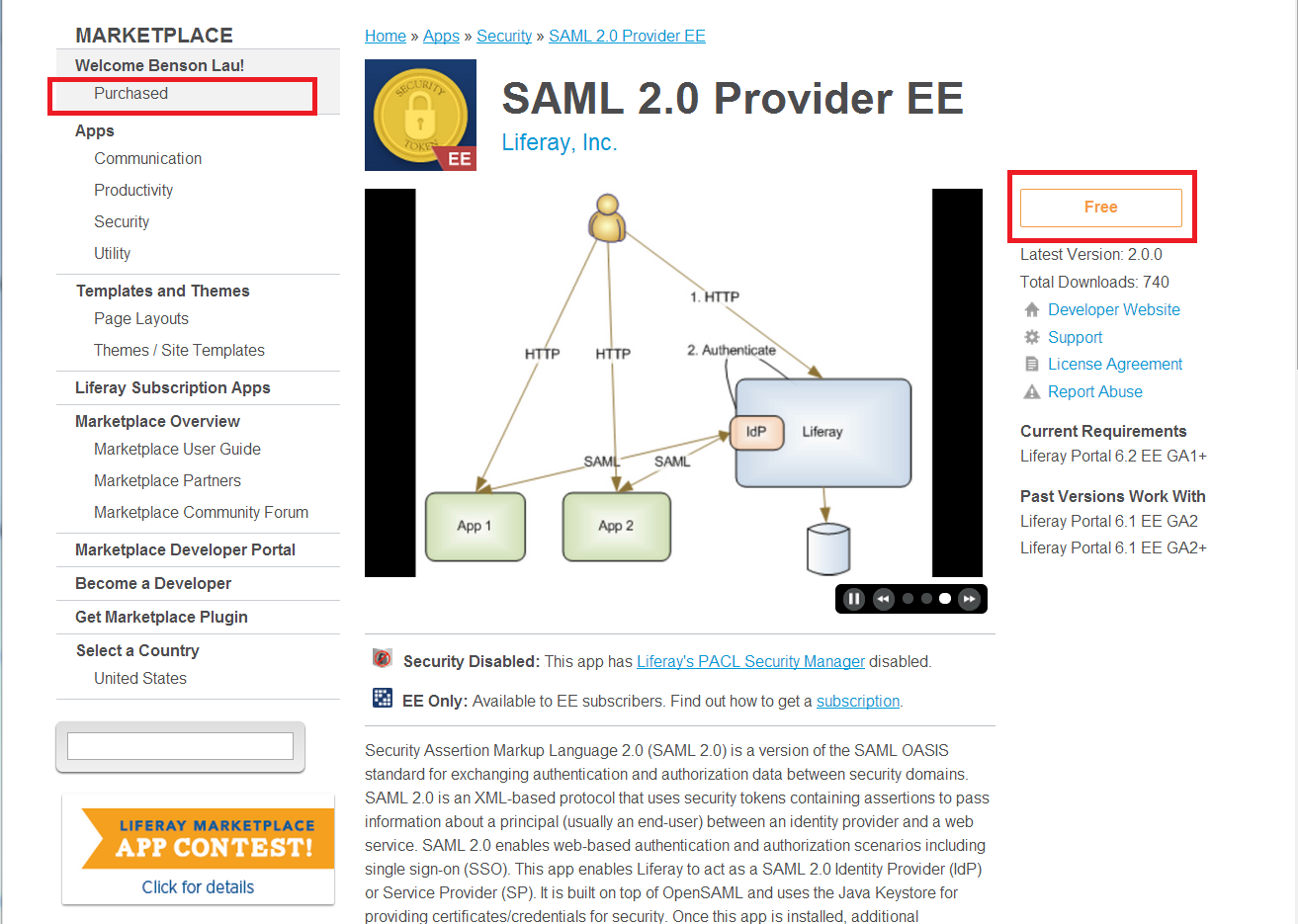
- Purchase/Download the plugin (for the SAML plugin, that means selecting the "Free" Button as seen in the screen shot below).
- Follow directions for purchasing the plugin.
- Select the "Purchased" section link (see screenshot) that is on the left-hand navigation bar.
- On the Purchased Apps page, locate and click on the plugin's EE link.
- Check to see if the version of the plugin you would like the source code for is displayed. The most recent version will be displayed by default, but if you would like to locate an older version, click on "Find Past Versions".
- Click the Source Code button and the download will begin.