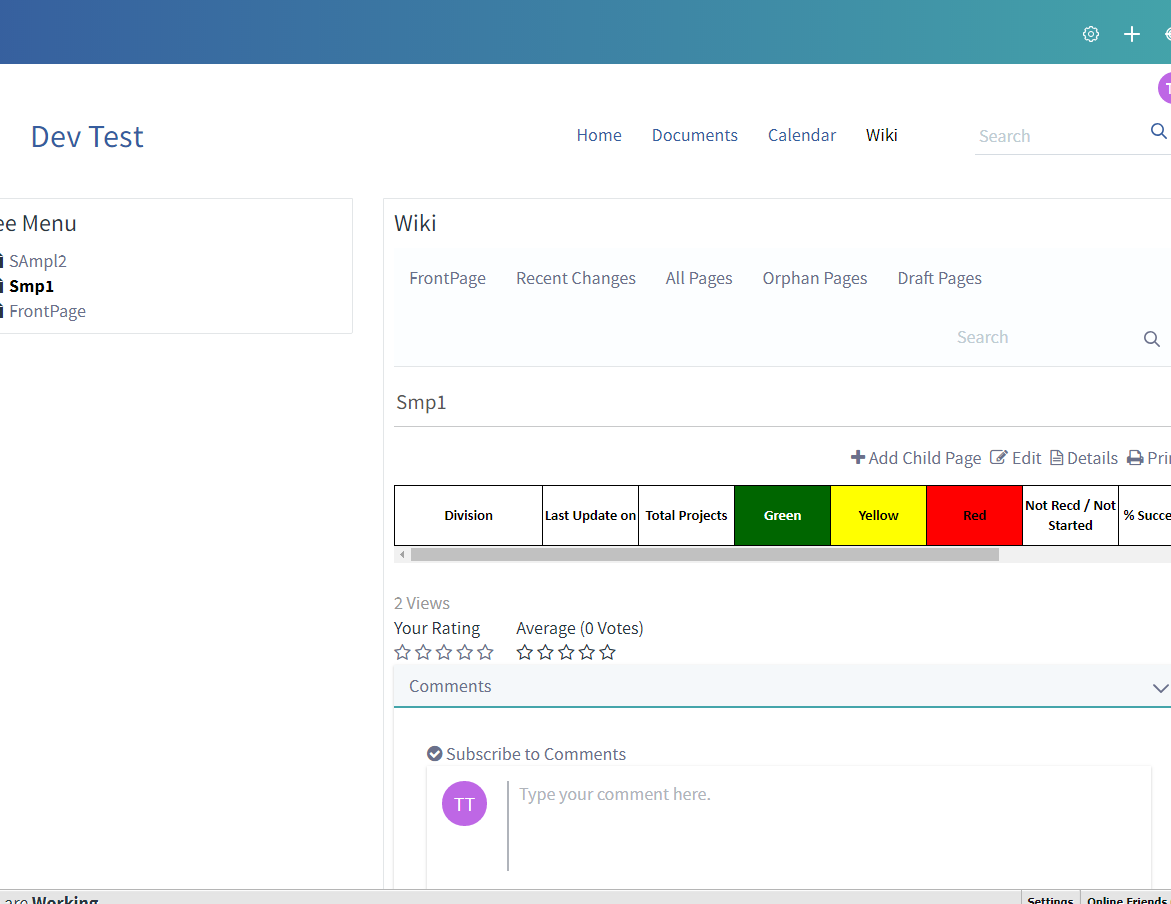
While printing Wiki the background colour of the cells in tables not displayed.

Written By
Prarthana Jadhav
How To articles are not official guidelines or officially supported documentation. They are community-contributed content and may not always reflect the latest updates to Liferay DXP. We welcome your feedback to improve How To articles!
While we make every effort to ensure this Knowledge Base is accurate, it may not always reflect the most recent updates or official guidelines.We appreciate your understanding and encourage you to reach out with any feedback or concerns.
Legacy Article
You are viewing an article from our legacy "FastTrack"
publication program, made available for informational purposes. Articles
in this program were published without a requirement for independent
editing or verification and are provided"as is" without
guarantee.
Before using any information from this article, independently verify its
suitability for your situation and project.
Issue
- The printout of the Wiki pages doesn't print the coloured cells of the tables. Whereas, on the portal, the coloured cells are visible.

Environment
Resolution
- The reported behaviour can be achieved by overriding the aui.css file as per the business requirement.
- Below approach can also be followed to achieve the same:
- At first, we need to either disable the AntiSamy Sanitizer or customize AntiSamy to allow !important. By default AntiSamy Sanitizer is enabled and it will not allow !important. AntiSamy can be disabled or customized by following the below steps,
- Goto Control Panel-> Configuration.
- System Settings-> Foundation->AntiSamy Sanitizer.
- Make the changes as per your requirement and update.
- After doing the above changes follow the below steps:
- Goto Wiki Page
- Add the tables in the ckeditor.
- Goto source mode of CKEditor and add "!important" to the source.
For example:
<td style="background-color: rgb(99,99,99) !important;">xxx</td>
(ckeditor.png for reference)
- Publish and Take the print of this page. The print of the page will display the table with coloured cells.
- By following the above approach, the coloured cells are printed over the paper
Did this article resolve your issue ?