Updating React dependencies to later version

written-by
Rishabh Agrawal
How To articles are not official guidelines or officially supported documentation. They are community-contributed content and may not always reflect the latest updates to Liferay DXP. We welcome your feedback to improve How To articles!
While we make every effort to ensure this Knowledge Base is accurate, it may not always reflect the most recent updates or official guidelines.We appreciate your understanding and encourage you to reach out with any feedback or concerns.
legacy-article
learn-legacy-article-disclaimer-text
Issue
- As part of the security audit, the old version of the React might be vulnerable to attacks. Is there a way to hide the React version that Liferay displays?
Resolution
- At this point of writing this article, Liferay is using React version 16.12.0 and is in the development stage of upgrading the React version to 18. Please review LPS-197954 which can be taken as a reference to get more information on this.
-
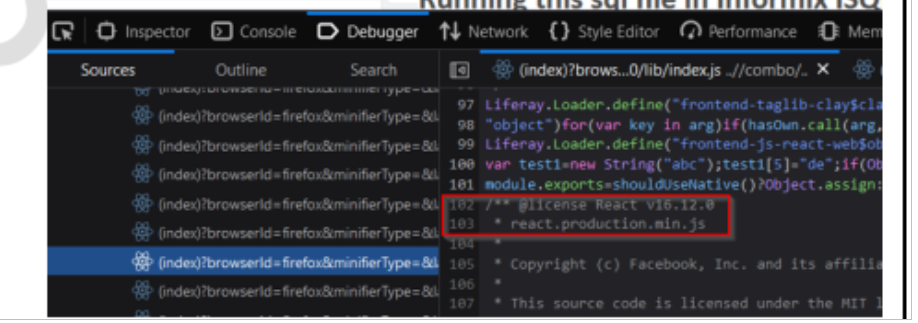
However, there is no process to remove the React version from being displayed, as React itself has a version field in its APIs that contains the version number and therefore removing it from comments does not seem to be viable. Hence, even if the version number is removed from a specific line, there are chances that users may find it again in some lines as captured in this snapshot:
did-this-article-resolve-your-issue