Legacy Knowledge Base
Published Jul. 2, 2025

Sorting Structures by Name

Written By

Mariano Alvaro

How To articles are not official guidelines or officially supported documentation. They are community-contributed content and may not always reflect the latest updates to Liferay DXP. We welcome your feedback to improve How To articles!

While we make every effort to ensure this Knowledge Base is accurate, it may not always reflect the most recent updates or official guidelines.We appreciate your understanding and encourage you to reach out with any feedback or concerns.

Legacy Article

You are viewing an article from our legacy "FastTrack" publication program, made available for informational purposes. Articles in this program were published without a requirement for independent editing or verification and are provided"as is" without guarantee.

Before using any information from this article, independently verify its suitability for your situation and project.

This article outlines how to display created web content structures alphabetically.

Resolution

Steps

  1. Open the portal-ext.properties file.
  2. Set journal.browse.by.structures.sorted.by.name to true
  3. Go to Site Administration > Content > Web Content and click the Add pull-down menu.

Prior to Liferay Portal 6.2 fix pack portal-107, structures were displayed and sorted by primary key numbers. A new property was added, journal.browse.by.structures.sorted.by.name

It's behavior responds to the following logic:

If the property is not set or false; structure will be displayed sorted by primary key.
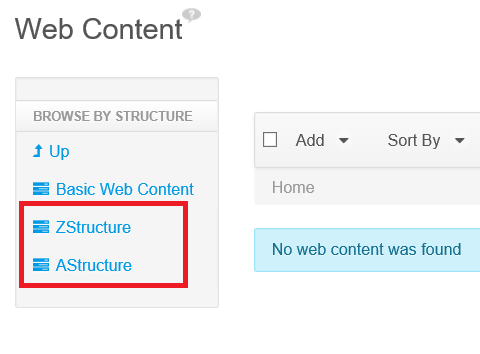
failed_01.png

If the property is set to true; structures will be displayed sorted alphabetically by name.
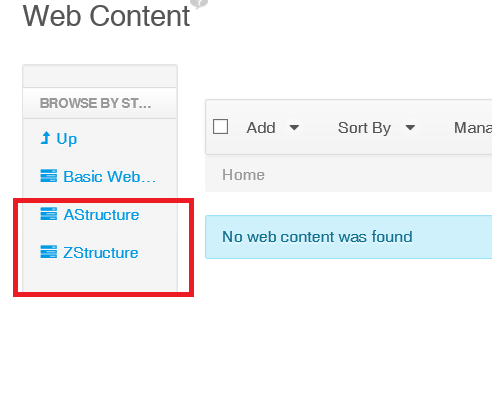
fixed_02.png

Did this article resolve your issue ?

Legacy Knowledge Base