Legacy Knowledge Base
Published Sep. 10, 2025

Page Templates are missing after Upgrading from Liferay 6.2 to Liferay 7.2

Written By

Ankit Gupta

How To articles are not official guidelines or officially supported documentation. They are community-contributed content and may not always reflect the latest updates to Liferay DXP. We welcome your feedback to improve How To articles!

While we make every effort to ensure this Knowledge Base is accurate, it may not always reflect the most recent updates or official guidelines.We appreciate your understanding and encourage you to reach out with any feedback or concerns.

Legacy Article

You are viewing an article from our legacy "FastTrack" publication program, made available for informational purposes. Articles in this program were published without a requirement for independent editing or verification and are provided"as is" without guarantee.

Before using any information from this article, independently verify its suitability for your situation and project.

Issue

Steps to Reproduce:

1. Create a page on running Liferay 6.2.
2. Upgrade connected DB of Liferay 6.2 to Liferay 7.2
3. Start Liferay 7.2 server and do full reindex.
4. Check for page template is not available.

Environment

  • Liferay DXP 7.2

Resolution

The problem is that you are looking at the local templates (site scoped) and what you are looking for are global templates, and they won't show up along with the site's own templates. You can find them if you select the Global site in Site Navigation. Please refer to the attached screenshot for the same.

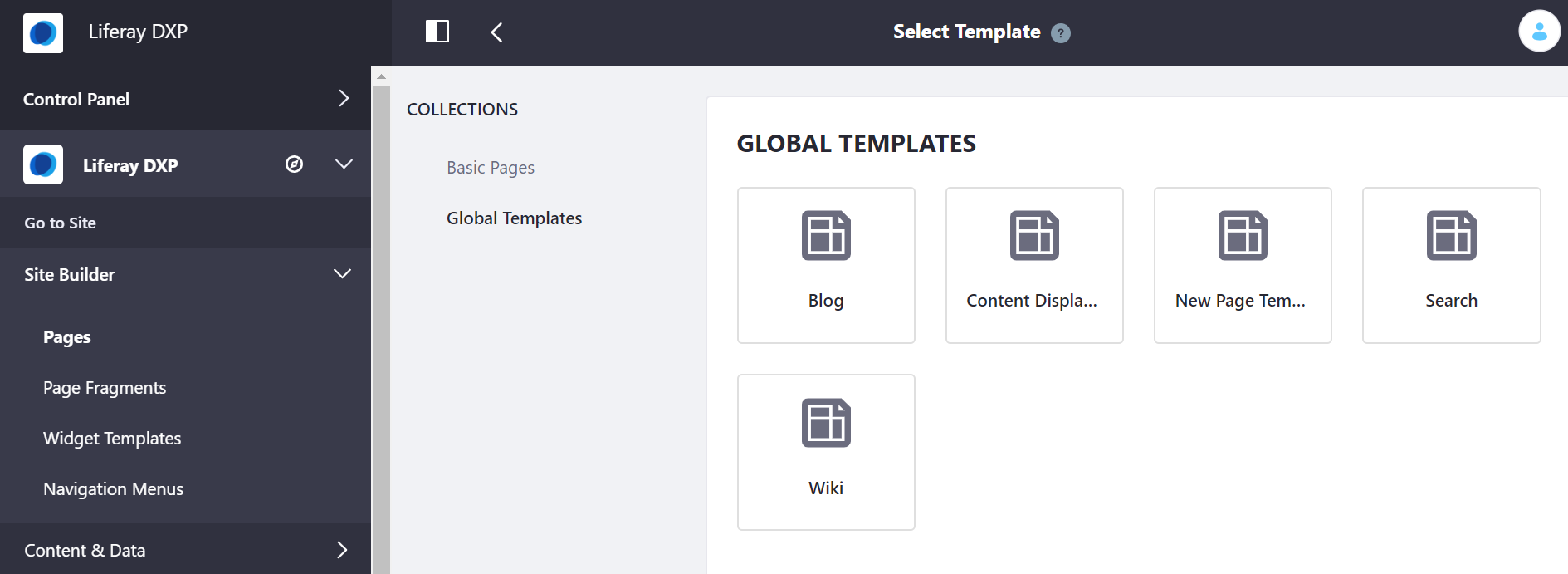
Page_Template.png

Global_Template.png

Did this article resolve your issue ?

Legacy Knowledge Base