Issue
- How can I find the difference between two fix pack versions?
- Is there a method to diff fix packs?
Environment
- DXP 7.2
- DXP 7.1
- DXP 7.0
- Portal 6.2
Resolution
Quick method: Liferay provides an Online Comparison Tool for DXP Releases
Manual method: In this example guide, we will diff Fix Pack 10 and Fix Pack 12 (DXP-10 and DXP-12)
- Firstly obtain the source code (.src) files for the Fix Packs to be diffed. These can be downloaded from our Helpcenter
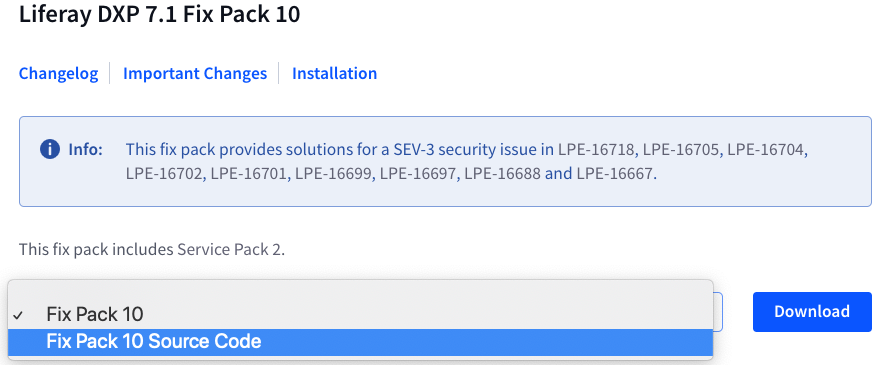
- Important: When going through the diff process, work with the older file first (DXP-10) or the latest file (DXP-12) will be sourced when running the "store" command
- Add DXP-10 source zip to patches folder at this location
${liferay.home}/patching-tool/patches
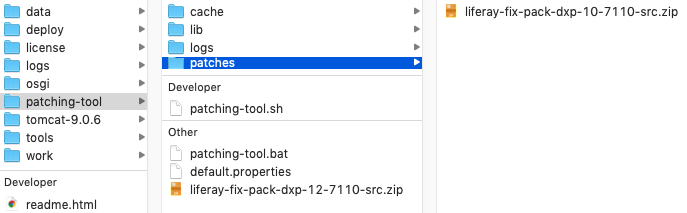
- Open a terminal window and navigate to the patching-tool folder
${liferay.home}/patching-tool - Run the store command to add DXP-10 to the Patching Tool Store
./patching-tool.sh store add liferay-fix-pack-dxp-10-7110-src
Initializing: store/liferay-fix-pack-dxp-10-7110-src/
Storing patches: [1%..10%..20%..30%..40%..50%..60%..70%..80%..90%..100%]
Current patch level is stored as 'liferay-fix-pack-dxp-10-7110-src'. - Note that a new 'store' folder has been created and populated with DXP-10 data
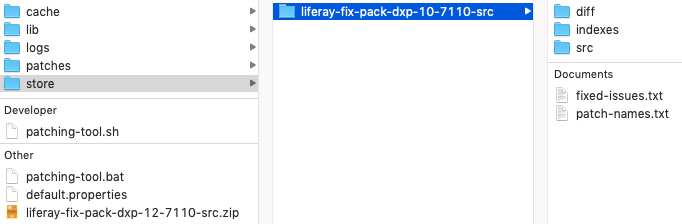
- Now add DXP-12 source zip to patches folder ${liferay.home}/patching-tool/patches
- Run the store command again this time with the DXP-12 filename
./patching-tool.sh store add liferay-fix-pack-dxp-12-7110-src - Now we have both Fix Packs in the store ready to diff
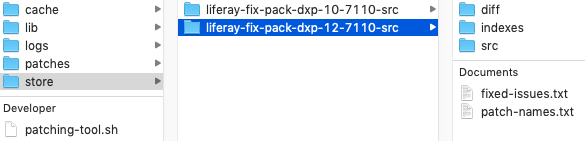
- We'll run a FULL diff on the two stored source files and output to an HTML file
./patching-tool.sh diff full source liferay-fix-pack-dxp-10-7110-src liferay-fix-pack-dxp-12-7110-src html
Comparing patch levels...
Diff file created: /liferay.home/patching-tool/diff/liferay-fix-pack-dxp-10-7110-src-liferay-fix-pack-dxp-12-7110-src-source-diff.html
Sample output from HTML file...

Additional Information
-
./patching-tool.sh help diff
-
./patching-tool.sh help store
- This method may also be used with the following combinations:
hotfix vs hotfix, fix pack vs hotfix, hotfix vs fix pack - Liferay DXP Release Notes