Issue
- "Individual Content Level Staging to Live publishing". For e.g., if there are 5 contents updated on staging environment and customer wants to publish only 3 out of five
Environment
- Liferay DXP 7.1
Resolution
Test case with step by step instructions:
-
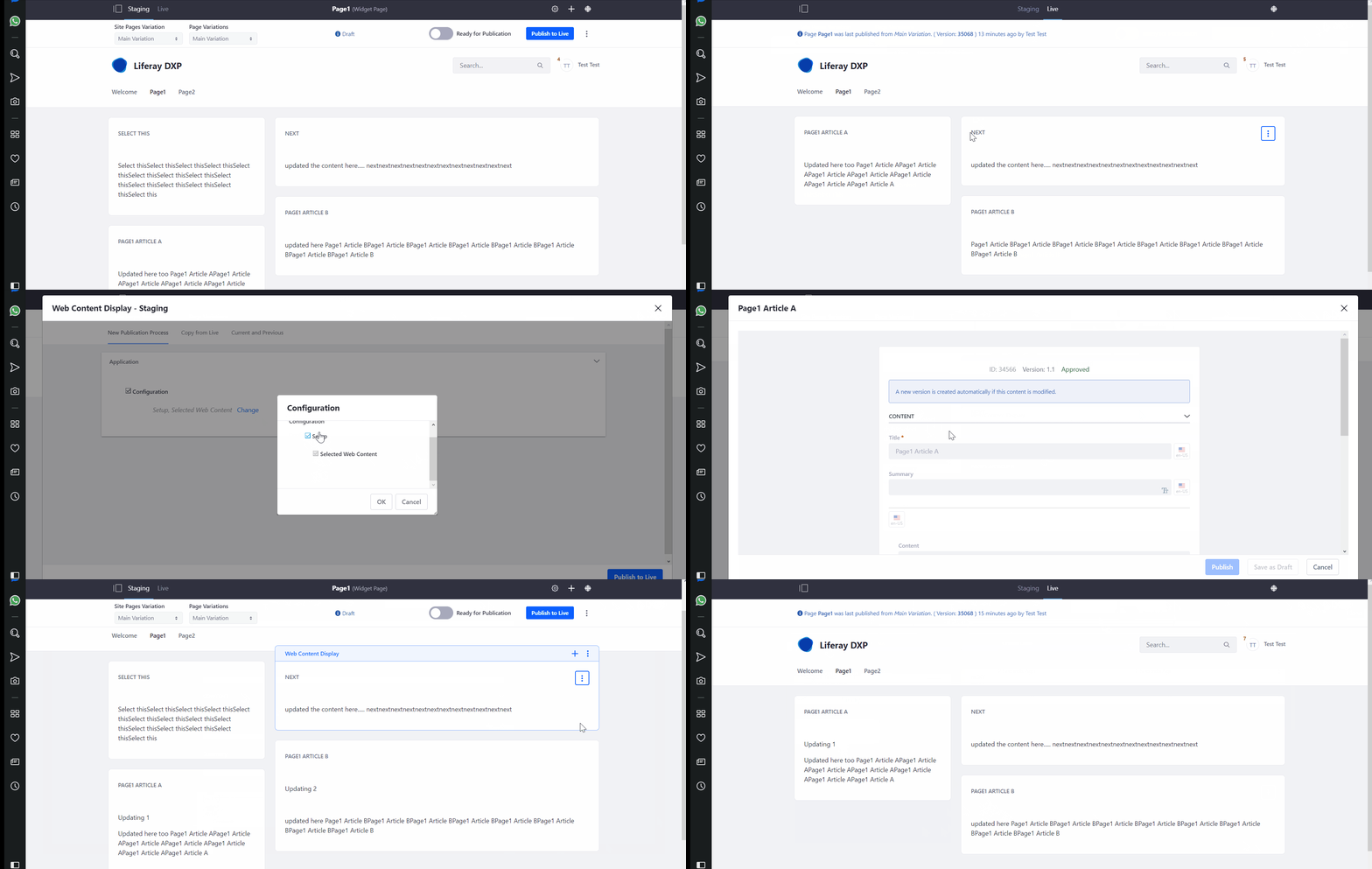
Start the server [Liferay 7.1 EE bundle] and Publish page1 to live which contains 3 web content display portlet.
-
Modify 3 web contents by enabling staging
-
Requirement: Instead of publishing all modified web content[ie. 3 web content], want to publish modified content of WC1 only
-
This can be achieved by selecting the staging configuration of the specific web content display portlet[WC1] and publish it.
Note: This WC1 modified content alone will be published. In order to use this, you have to publish the page first with the widget you want.
How it works:
Once published the widget on the page to live if we modified the content after published, then using the staging configuration of the portlet, we can publish the modified content of the specific portlet to the page.
Additional Information
- For the ease of the reference, here I am sharing the gif "Staging WC portlet config.gif" for the same.