How can we get a complete picture of a user's activity history?
How To articles are not official guidelines or officially supported documentation. They are community-contributed content and may not always reflect the latest updates to Liferay DXP. We welcome your feedback to improve How To articles!
While we make every effort to ensure this Knowledge Base is accurate, it may not always reflect the most recent updates or official guidelines.We appreciate your understanding and encourage you to reach out with any feedback or concerns.
Legacy Article
You are viewing an article from our legacy "FastTrack"
publication program, made available for informational purposes. Articles
in this program were published without a requirement for independent
editing or verification and are provided"as is" without
guarantee.
Before using any information from this article, independently verify its
suitability for your situation and project.
Issue
- Is there a way to find out how and by whom a user was created?
Resolution
- The steps below can be used to track user activity.
- Log in by 'Test' user (Admin User)
- Create a new user
(Name: user1 u1, Screen Name: user1) and assign Administrator Role to it.
- Navigate to
Control Panel-> User and Organization-> click on [new user], get UserId of the newly created user, for example: '34869'
- Now, go to
Control Panel-> Configuration-> Audit
- Search for '34869' as
Resource Id
- Multiple entries with this ID can be received, one of which should be 'Add' as
Resource Action, indicating that it is added by that specific User ID and User Name.
-
These UI values are obtained from the table
'audit_auditevent'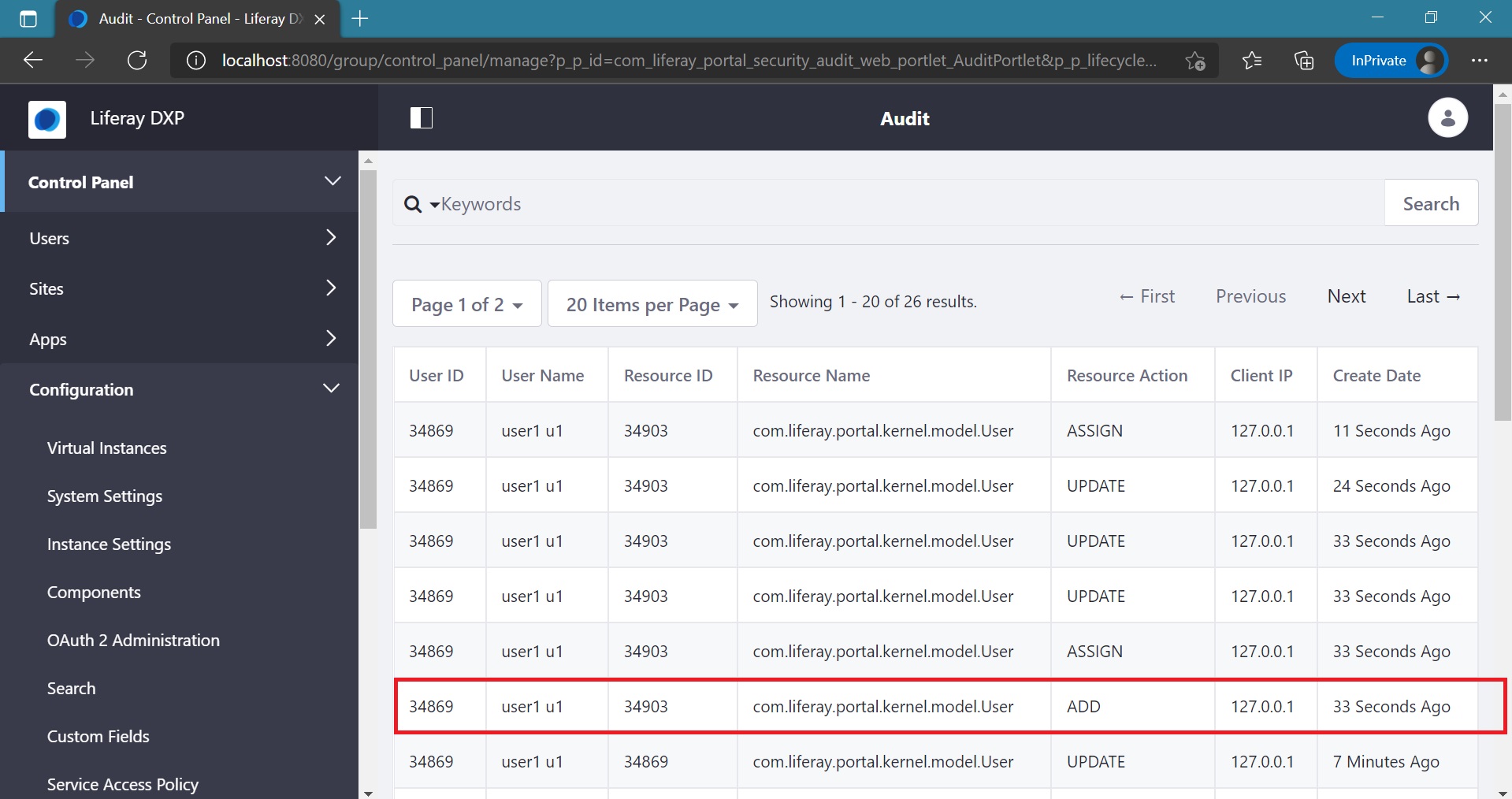
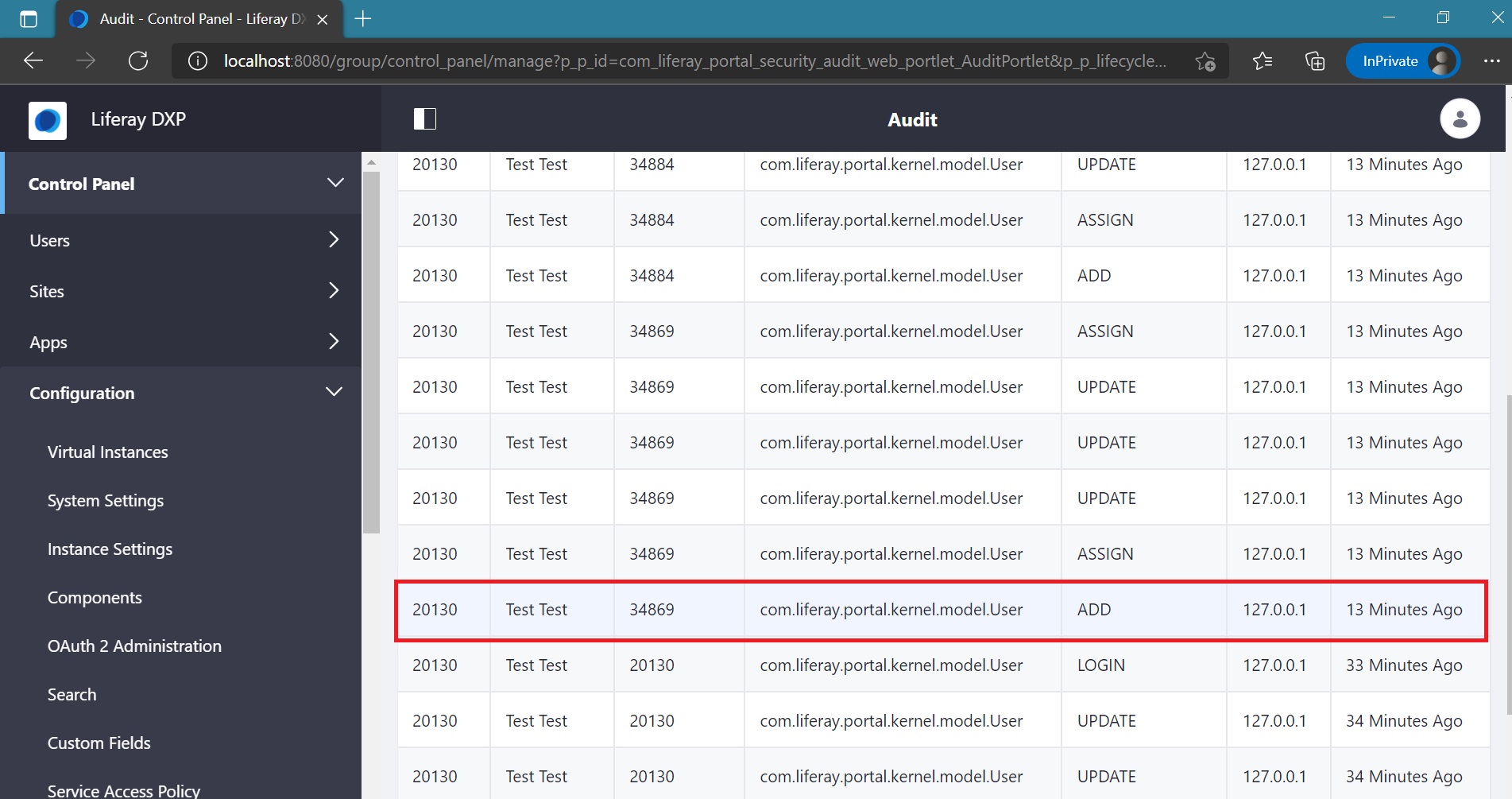
- In a nutshell, anyone concerned about tracking user information might check into the
user_ and audit auditevent entities in the Liferay DB.
Did this article resolve your issue ?