Cloud Console email verification gives an invalid email error
How To articles are not official guidelines or officially supported documentation. They are community-contributed content and may not always reflect the latest updates to Liferay DXP. We welcome your feedback to improve How To articles!
While we make every effort to ensure this Knowledge Base is accurate, it may not always reflect the most recent updates or official guidelines.We appreciate your understanding and encourage you to reach out with any feedback or concerns.
Legacy Article
You are viewing an article from our legacy "FastTrack"
publication program, made available for informational purposes. Articles
in this program were published without a requirement for independent
editing or verification and are provided"as is" without
guarantee.
Before using any information from this article, independently verify its
suitability for your situation and project.
Issue
- When I click on the Accept Invite link in the email to verify my email address to access the DXP Cloud Console, I receive the following error: Invalid email.
- How can I log in?
Environment
- Liferay SaaS
- Liferay PaaS
Resolution
- This is likely due to some characters that are in your email that cannot be accepted, e.g. having a - (dash) character.
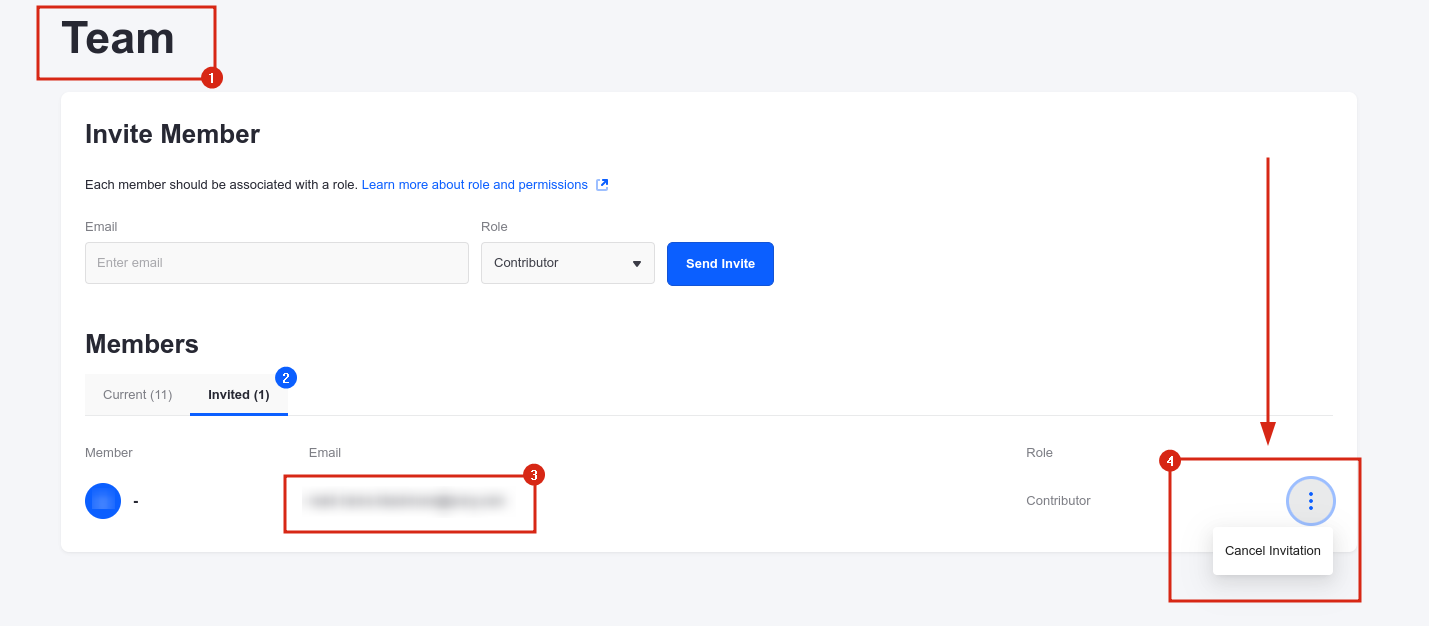
- Please ask the admin cancel your invite:
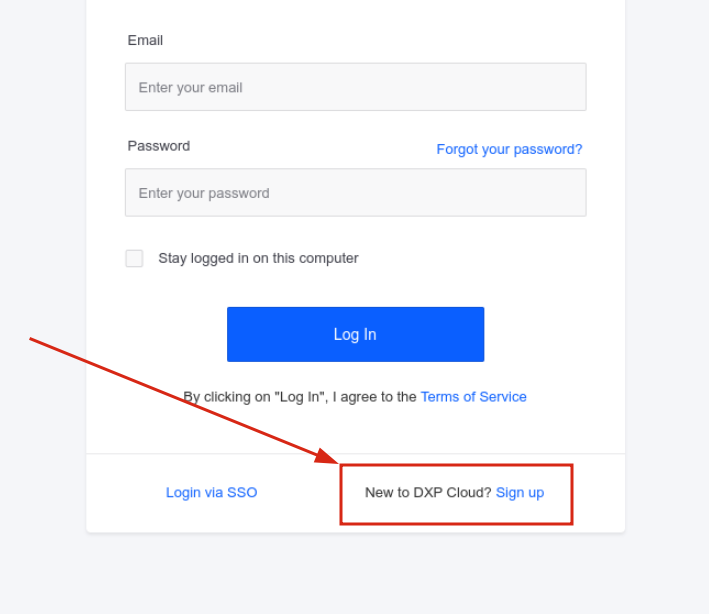
- Then, instead of accessing the Console using the verification link, you should try to open console.liferay.cloud directly and choose the New to DXP Cloud? Sign Up option:
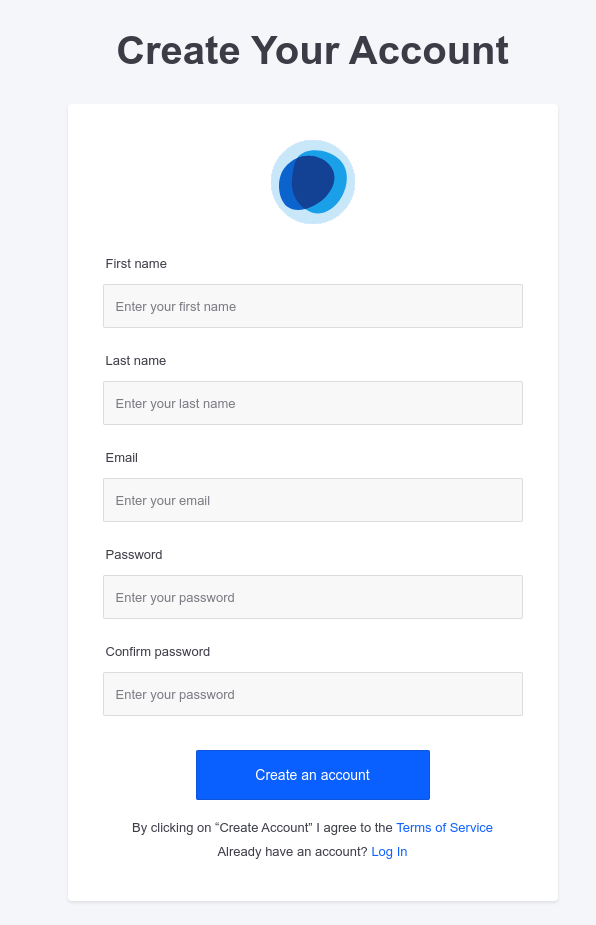
- Manually create a DXP Cloud account:
- After successfully creating the account, please ask the Cloud Console admin to invite you again, and then use the verification link from the email to access it.
Did this article resolve your issue ?