This article documents a change in where to define serviceLocator properties in Liferay platforms; both in Portal and Digital Experience Platform (DXP).
Developers familiar with this functionality in Portal 6.2 can enable or disable this property to allow specific calls in Freemarker or Velocity to create Web Content Templates. Therefore, you might be wondering what has changed in DXP 7.0.
Resolution
In Portal 6.2, the properties were set in the portal.properties file.
    # Set a comma delimited list of variables the FreeMarker engine cannot
    # have access to. This will affect Dynamic Data List templates, Journal
    # templates, and Portlet Display templates.
    #
    freemarker.engine.restricted.variables=\
        objectUtil,\
        serviceLocator,\
        staticFieldGetter,\
        staticUtil,\
        utilLocator

    # Set a comma delimited list of variables the Velocity engine cannot
    # have access to. This will affect Dynamic Data List templates, Journal
    # templates, and Portlet Display templates.
    #
    velocity.engine.restricted.variables=\
        serviceLocator,\
        staticFieldGetter,\
        utilLocator
By default, calls to serviceLocator are restricted. To allow its use, developers had to update a portal-ext.properties file. In DXP 7.0, these settings have been moved to the Control Panel.
For FreeMarker, navigate to Control Panel → Configuration → System Settings → Foundation → FreeMarker Engine → Restricted Variables.
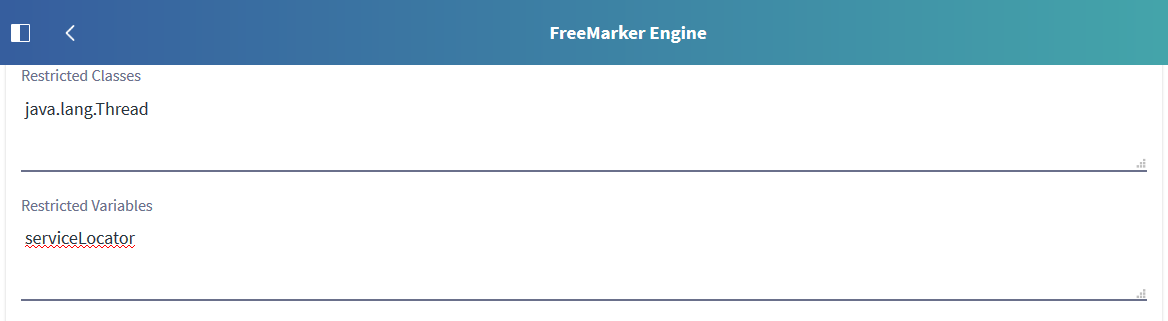
For Velocity, navigate to Control Panel → Configuration → System Settings → Foundation → Velocity Engine → Restricted Variables.
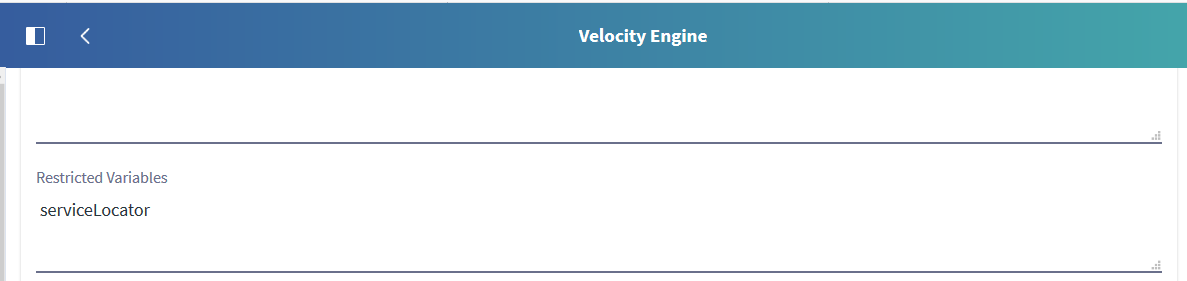
To allow templates to use serviceLocator, delete the values in the fields then click Update. Next, restart the application server to apply the changes. Once the changes have been applied, developers can now create Web Content Templates that can use a serviceLocator call.