Page Tree Search results difficult to read when using a custom theme
How To articles are not official guidelines or officially supported documentation. They are community-contributed content and may not always reflect the latest updates to Liferay DXP. We welcome your feedback to improve How To articles!
While we make every effort to ensure this Knowledge Base is accurate, it may not always reflect the most recent updates or official guidelines.We appreciate your understanding and encourage you to reach out with any feedback or concerns.
Legacy Article
You are viewing an article from our legacy "FastTrack"
publication program, made available for informational purposes. Articles
in this program were published without a requirement for independent
editing or verification and are provided"as is" without
guarantee.
Before using any information from this article, independently verify its
suitability for your situation and project.
Issue
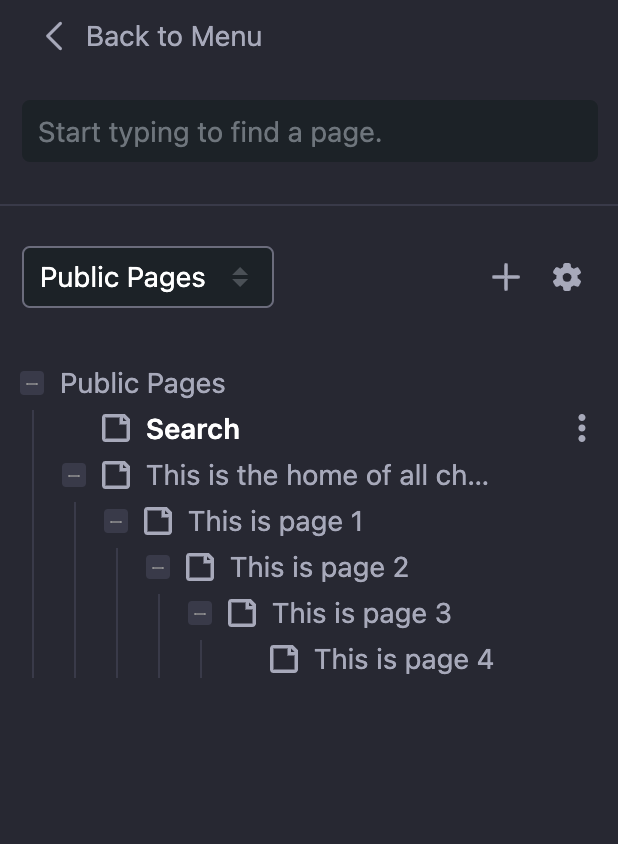
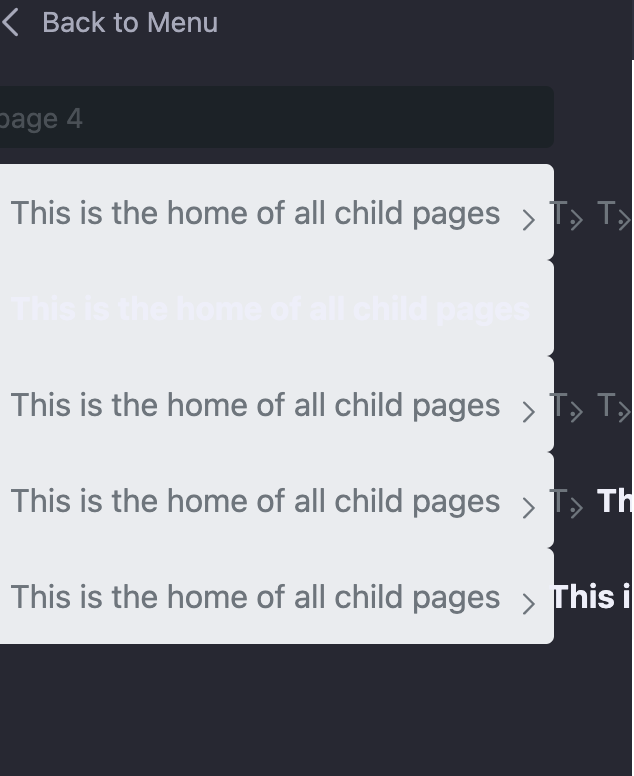
- When searching in the page tree, the results are formatted in such a way that they are difficult to read and select the correct item from them.
- This happens when there are several levels of child pages in the tree and a custom theme is applied, which is generated with the Liferay theme generator. (Note here: there is no additional custom code added yet, we used a sample theme generated with yo liferay-theme)
-
When the theme is deployed and set as default, it applies a whitish/gray layer on the page tree search results, and also they are presented somehow overlapping each other. (See the attached pictures about the page tree and the search results below)
Environment
- Liferay DXP 7.3
- Liferay DXP 7.4
Resolution
- Change the default theme in your portal to classic. This is to deactivate the custom theme we are about to modify.
- Navigate to the folder of that custom theme, where it was generated. (See the attached picture below)
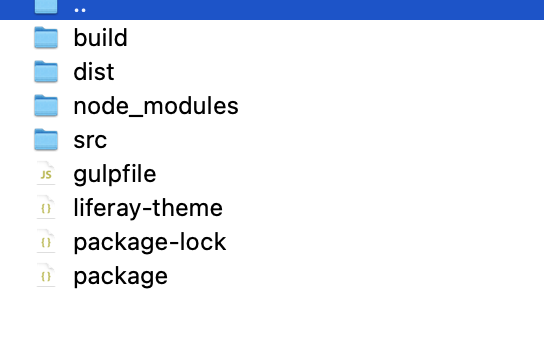
- Navigate to /src/css and edit _custom.scss
- Add the following property:
.breadcrumb {background-color: transparent; display: flex; flex-direction: column;}
- Save the changes and rebuild the theme. (gulp build command from the theme's folder)
- Redeploy the modified theme OR Replace the old theme in $LIFERAY_HOME/osgi/war folder with the modified theme. (Running gulp deploy from the folder of the theme OR the generated WAR file of the theme could be found in $THEME_FOLDER/dist)
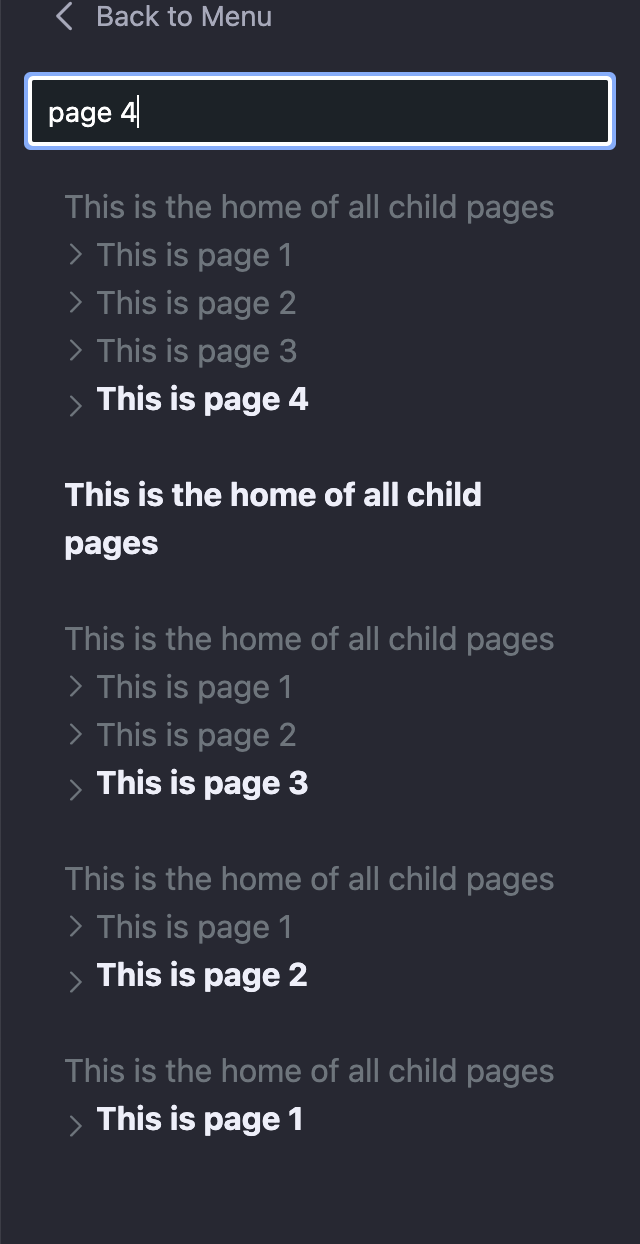
- Apply the theme in the portal and test the page tree search. (See attached picture below)
Did this article resolve your issue ?